Pasting text into a translator is solved. The real question for anyone who works with documents is different: does the file come back looking like the original? Tables in place, headings bold, bullet points intact, nothing pushed onto a second page. A translation that needs an hour of reformatting is not cheap, even if it was free.
In this guide we compare three popular ways to translate documents: Google Translate, DeepL and AI document translation on Linigu Translator. To keep it fair, we separate two kinds of information:
- DeepL and Google: what their own help pages state (checked in October 2026). We did not run their tools for this article, so we show no screenshots of their output.
- Linigu: our own real test with one product sheet in three versions (Word, digital PDF, scanned PDF), with screenshots of the actual results.
What “keeping the formatting” means
Before comparing tools, it helps to know what can go wrong. A good document translation keeps:
- Structure: headings, paragraphs, bullet lists, tables, headers and footers.
- Character formatting: bold, italics, colours, links.
- Layout: text stays where it was, pages do not overflow, nothing overlaps.
- Content that is easy to miss: text boxes, footnotes, text inside images, scanned pages.
The file type matters most. In Word, PowerPoint and Excel files, text flows: a longer translation simply takes more space. In a PDF, every line sits in a fixed position, so a translation that is 30% longer has to fit into the same box. A scan has no text at all, only a picture of it, which must first be read with OCR (text recognition).
The comparison at a glance
| Google Translate (free, web) | DeepL (web and desktop) | Linigu Translator | |
|---|---|---|---|
| File types | .docx, .pptx, .xlsx, .pdf | .docx, .pptx, .pdf; .xlsx from the Team plan; more formats on paid plans | .docx, .xlsx, .pptx, .pdf, .txt, .csv, JPG/PNG photos |
| Limits | 10 MB; PDFs up to 300 pages | Free account: 5 MB per file; paid plans 30–100 MB | Scans up to 50 pages per file |
| Scanned PDFs | “Text in images and scanned .pdf pages” is not translated | Supported; DeepL notes that scan quality affects the result | Read with OCR and translated in place |
| Editing afterwards | Download the result | Free account: translated files are not editable; paid plans can turn a PDF into an editable .docx | Free online editor, sentence by sentence, then download |
| Pricing model | Free | Free with a monthly file limit; subscriptions | $0.005 per word, pay per document, no subscription |
Sources: Google Translate Help “Translate documents”, DeepL Help Center “File formats”, “Translate PDF files” and “Edit your file translation”, DeepL pricing page (October 2026). Limits change, so check the current pages before you decide.
Two details are worth knowing. For businesses, Google also offers document translation through its paid Cloud Translation API, which accepts scanned PDFs (up to 20 pages per online request), but Google itself warns that “translating scanned PDF files results in some formatting loss”. And DeepL openly notes that “differences in word lengths can lead to layout shifts” and recommends uploading the original Word or PowerPoint file if a PDF translation disappoints. That advice is good for every tool.
Our test: one product sheet, three formats
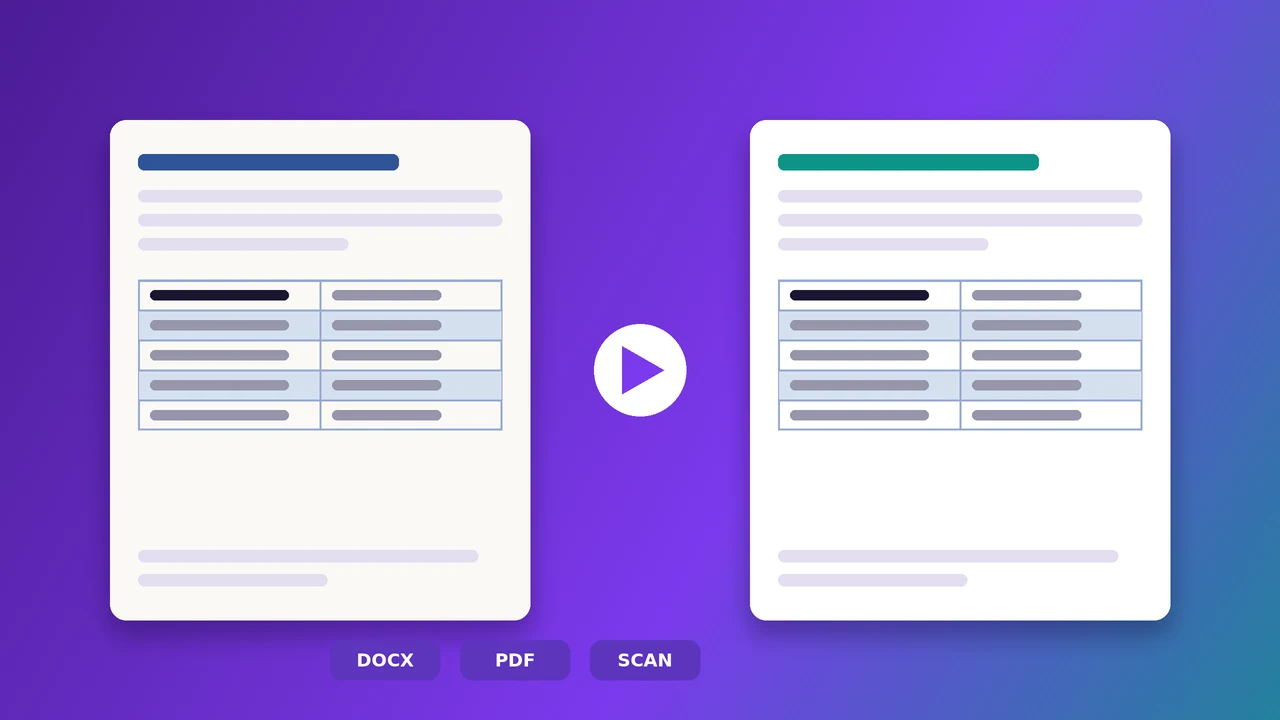
We created a one-page product sheet of 114 words with everything that usually breaks: a coloured heading, a bullet list, a two-column table with shaded rows, and a footer line with a phone number and e-mail address. We saved it as a Word file, exported it to a PDF, and printed and scanned it, slightly tilted and grainy like a real office scan. Each version was translated from English into German on Linigu. The whole test cost $0.57 per file.
1. Word: everything kept
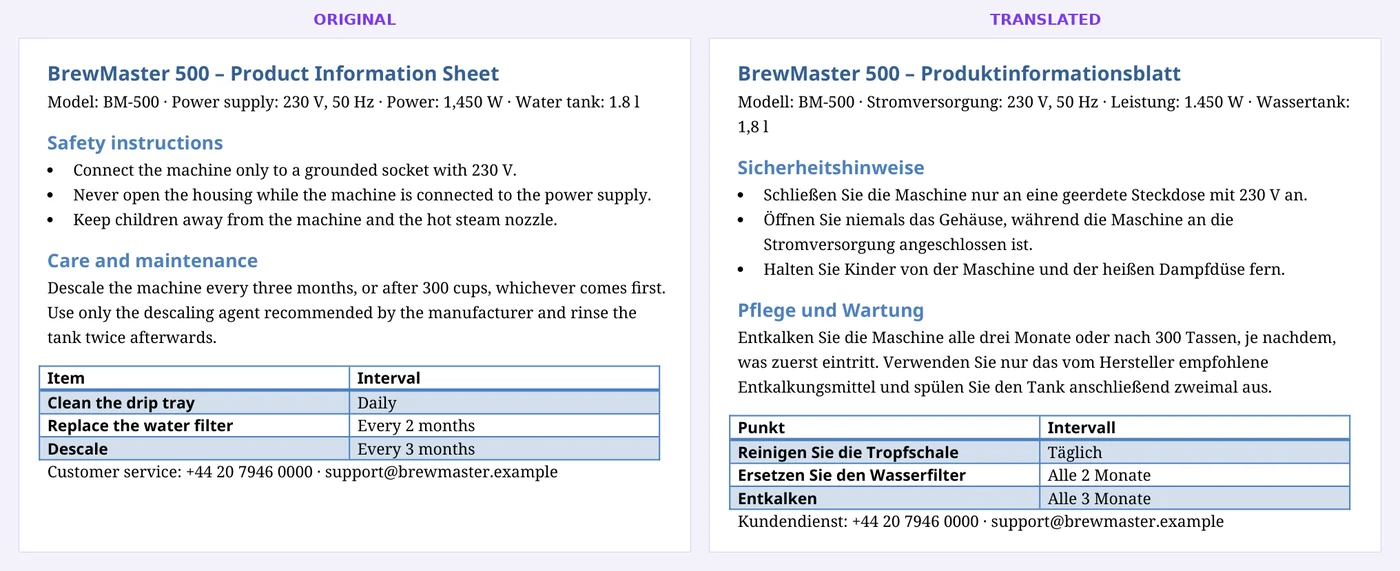
In Word, the text is replaced inside the existing formatting, so the heading colour, the bold table header, the shading and the bullets stay exactly as they were. Longer German words simply make the lines a little longer. If you have the Word file, translate the Word file.
2. Digital PDF: layout kept, text adjusted
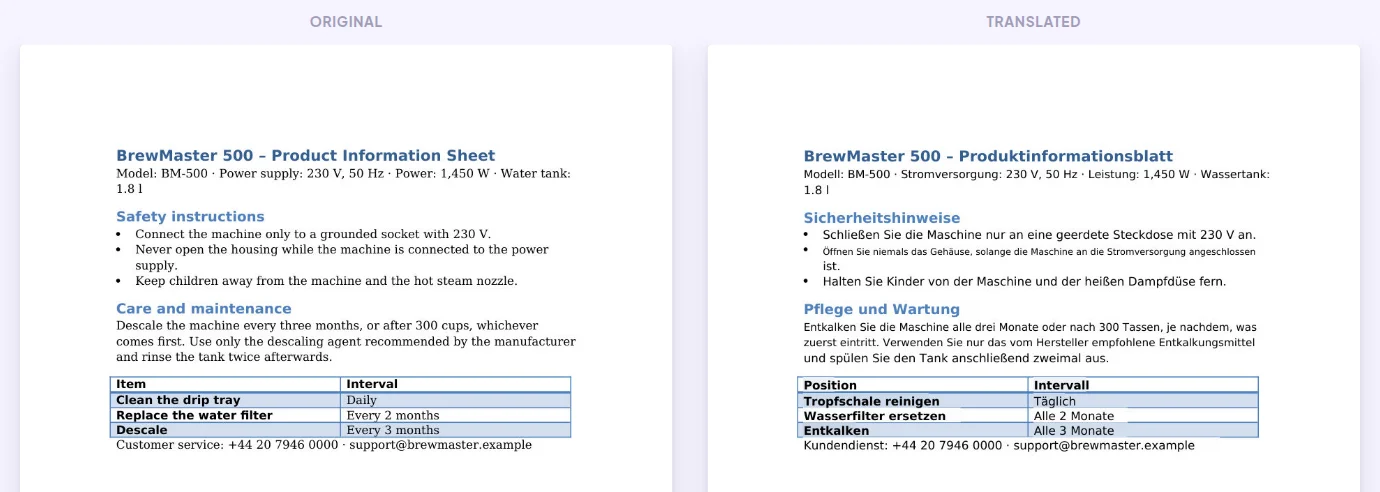
The PDF keeps its layout: same positions, same table, same colours. Where the German text is longer, it first uses the free space to its right; only if that runs out does the font get slightly smaller. The original fonts are replaced by a clean standard font, which is normal for PDF translation because embedded fonts usually contain only the letters of the original text.
3. Scanned PDF: read with OCR, translated in place
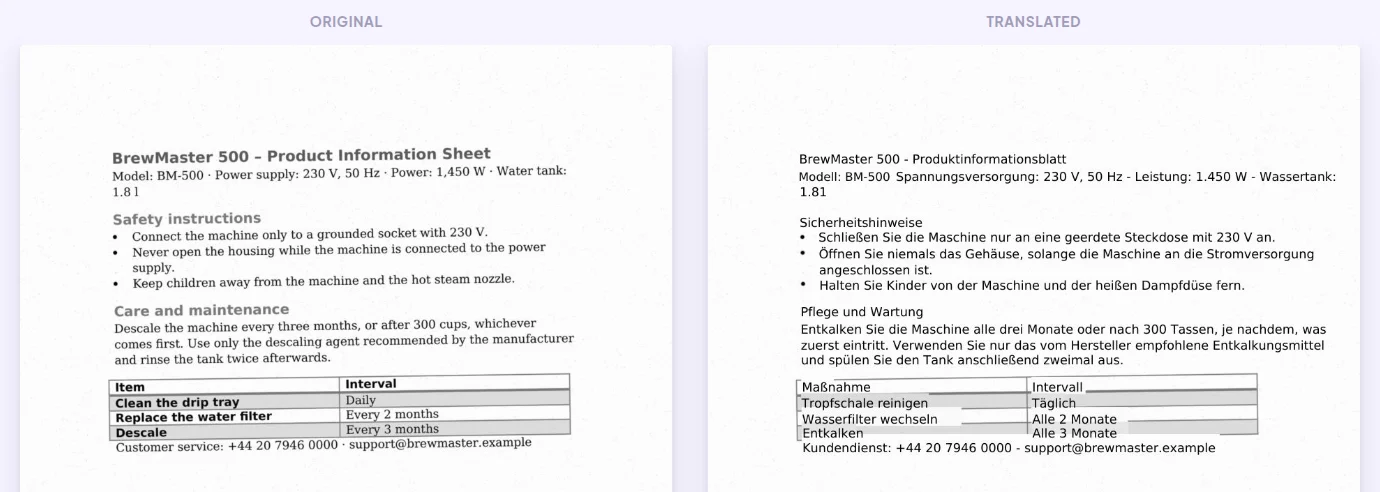
This is where most tools give up. The scan is read with OCR, table borders and shading are ignored while reading, and every line is translated and written back in the same position, on the original page image. The table stays a table and the grey row shading stays visible. Honest limits: bold and the original font cannot be reproduced on a scan, and handwriting is not reliably readable.
How to test any tool fairly
Do not trust screenshots, including ours. Take one of your own typical documents and run it through every tool you are considering. Then check:
- Are all tables, lists, headers and footers still there?
- Is anything left in the source language, such as text boxes, footnotes or text in images?
- Do numbers, units, phone numbers and e-mail addresses match the original exactly?
- Does the page count stay the same, and does anything overlap?
- Can you correct a sentence without breaking the layout?
For the content side, the free QA Checker compares a translated PDF or Word file with the original and lists missing numbers, untranslated sentences and terminology problems. It also works on scans: see QA for PDF translations.
Which one should you use?
- Google Translate is a good choice when you only need to understand a digital document quickly and for free.
- DeepL suits teams that translate Office files every day and want a subscription with glossaries and integrations.
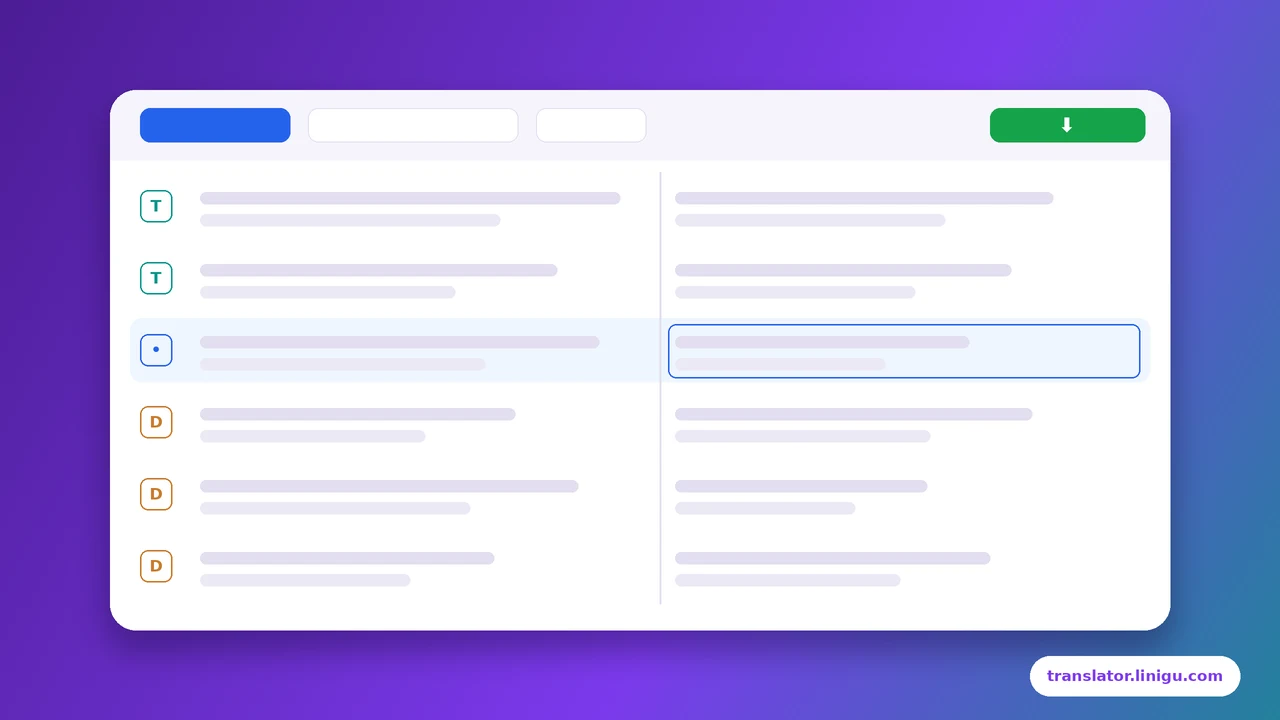
- Linigu fits when you have scans or photos, mixed file types, or occasional documents and prefer to pay per document: you see the price before you pay, and you can review the translation in the online editor before downloading.
For anything official, such as contracts, certificates or documents for authorities, machine translation is only the first step. These need a professional or certified translation.
Need a certified or professionally reviewed translation? Write to info@linigu.com with your document and the target language, and we will tell you what fits.
Frequently asked questions
Does DeepL or Google keep the formatting better?
Both keep the basic layout of Word and digital PDF files. The big differences are scans (not translated in Google’s free web tool), file limits and editing options. Test with your own file.
Why does a translated PDF sometimes have smaller text?
Because a PDF has fixed text positions. When the translation is longer and there is no free space, the text must get smaller to fit. Translating the original Word file avoids this.
Can scanned documents be translated with their layout?
Yes, with OCR. On Linigu the text is recognised and the translation is written back in place on the original page. See how OCR translation works.
How much does document translation cost?
Google’s web tool is free, DeepL uses subscriptions, and Linigu charges $0.005 per word with no subscription. See how translation is priced.