Every translator and reviewer knows the moment: the translation reads well, the deadline is close, and somewhere in 4,000 segments there is a missing tag, a wrong number or a forbidden term. That is what translation QA tools are for. The best-known are Xbench, Verifika and the QA Checker built into Trados Studio. This article compares them with the Linigu QA Checker — an online, rule-based QA tool for SDL Trados files that just gained three major features: an advanced source/target search, a spell check in more than 50 languages and full support for Trados tracked changes.
What is new in the Linigu QA Checker
1. Advanced search in source and target — the Xbench-style search, in your browser
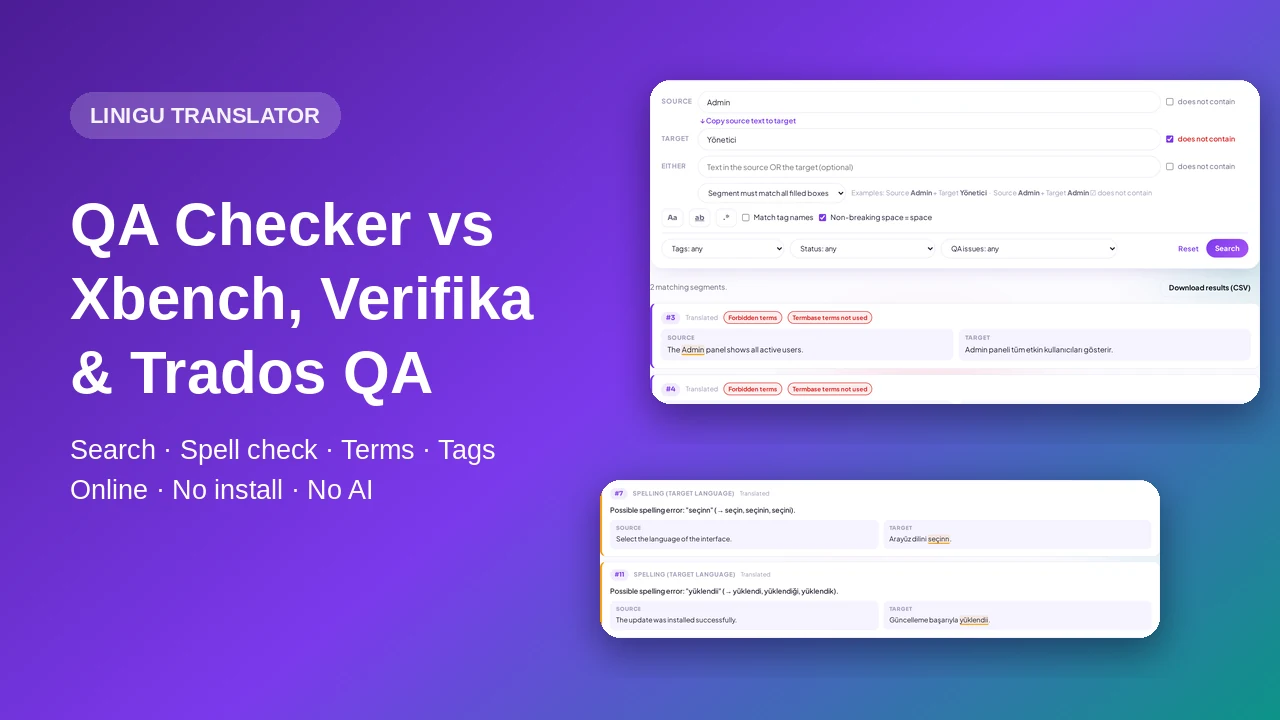
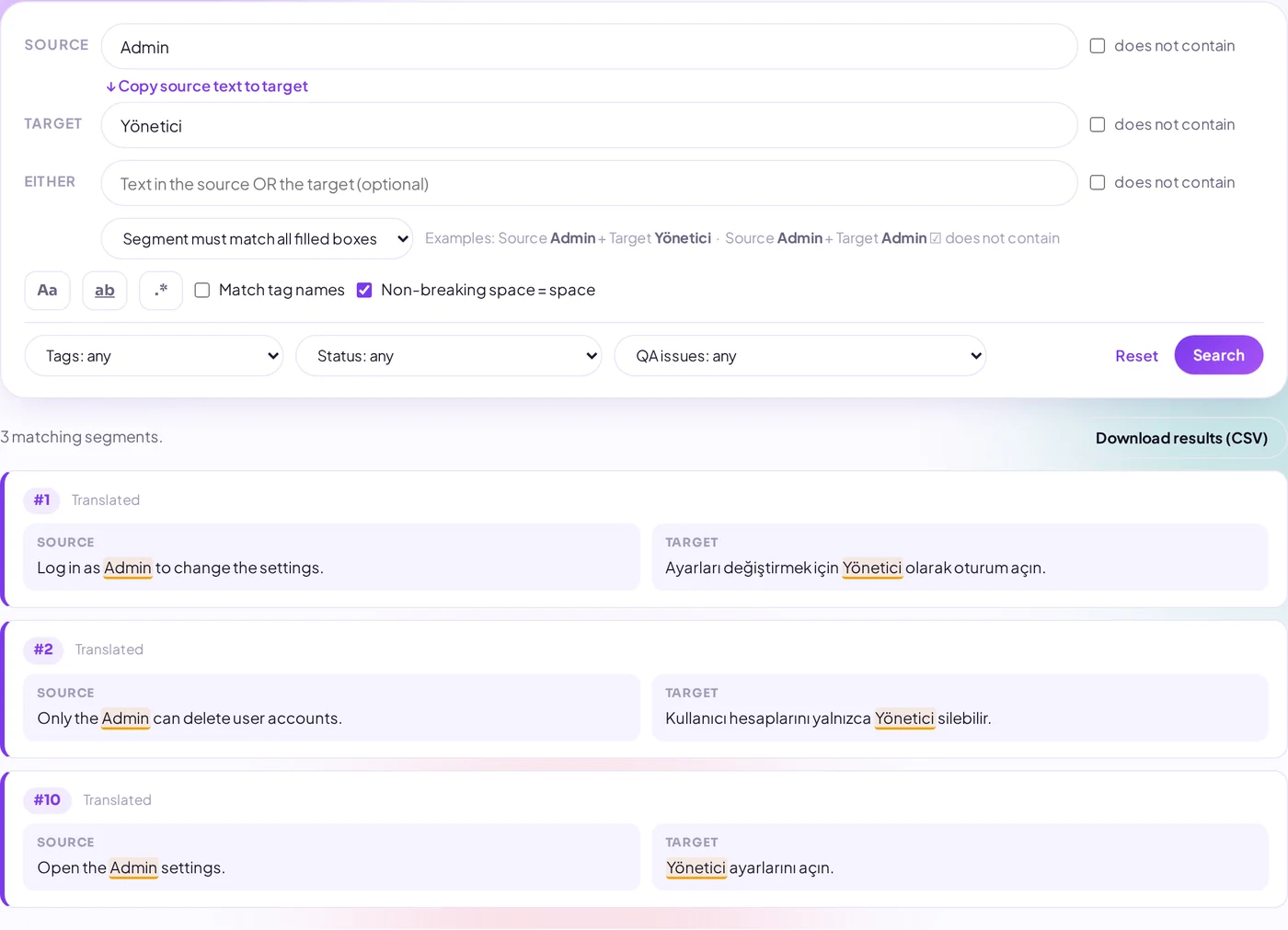
The new Search segments tab searches every segment of your files, not only the ones with errors. There are separate boxes for the source text and the target text, and each has a does not contain checkbox. A third, optional box looks in either side. That covers the searches reviewers run all day:
- Source has “Admin” and target has “Yönetici” — check that a term is translated the agreed way.
- Source has “Admin” but target does not contain “Yönetici” — find every segment where the approved term was not used.
- Source has “Admin”, target does not contain “Admin” — one click copies the source text to the target box.
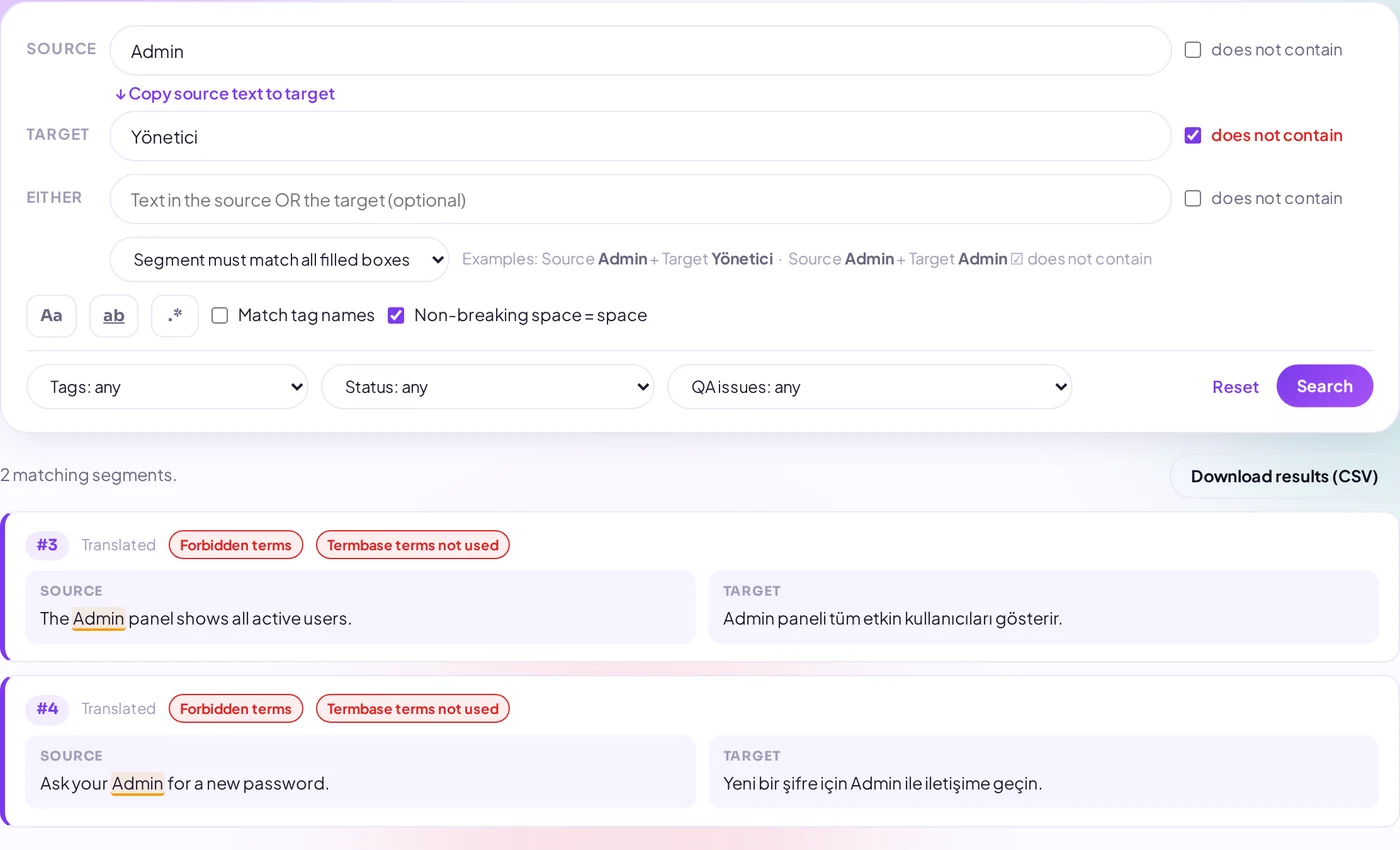
Options include match case (Aa), whole words, regular expressions, matching tag names and treating non-breaking spaces as normal spaces. Filters narrow the result by tags (e.g. tags only in the source), segment status (draft, translated, approved, locked, empty target) and QA issue. Results can be downloaded as CSV.
2. Spell check in more than 50 languages — without AI
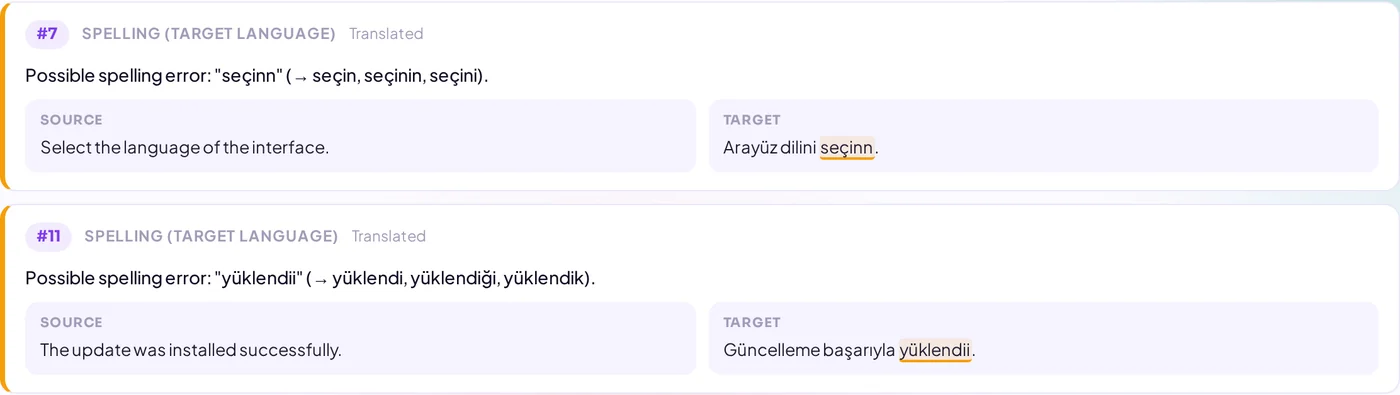
The target language is read from your file and the text is checked with Hunspell, the spell checker used by LibreOffice, Firefox and Chrome, running on our own server. Turkish, German, French, Spanish, Russian, Arabic, Polish, Swedish, Norwegian and many more are supported. Each misspelling is highlighted with suggestions; names, codes and words that also appear in the source or termbase are ignored, and a word that appears in many segments is shown as a note because it is usually a technical term.
3. Trados tracked changes handled correctly
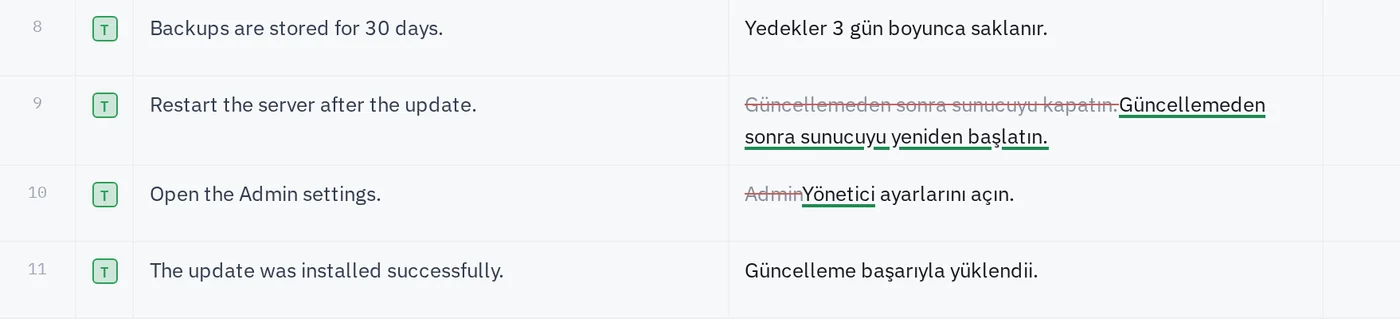
Files reviewed with track changes contain the deleted text as well. The QA Checker now ignores deleted text, so a struck-out word never produces a false tag, number or terminology error. In the Linigu editor, deletions are shown struck through and insertions underlined — the same way Trados Studio and Word show them.
4. All the classic QA checks
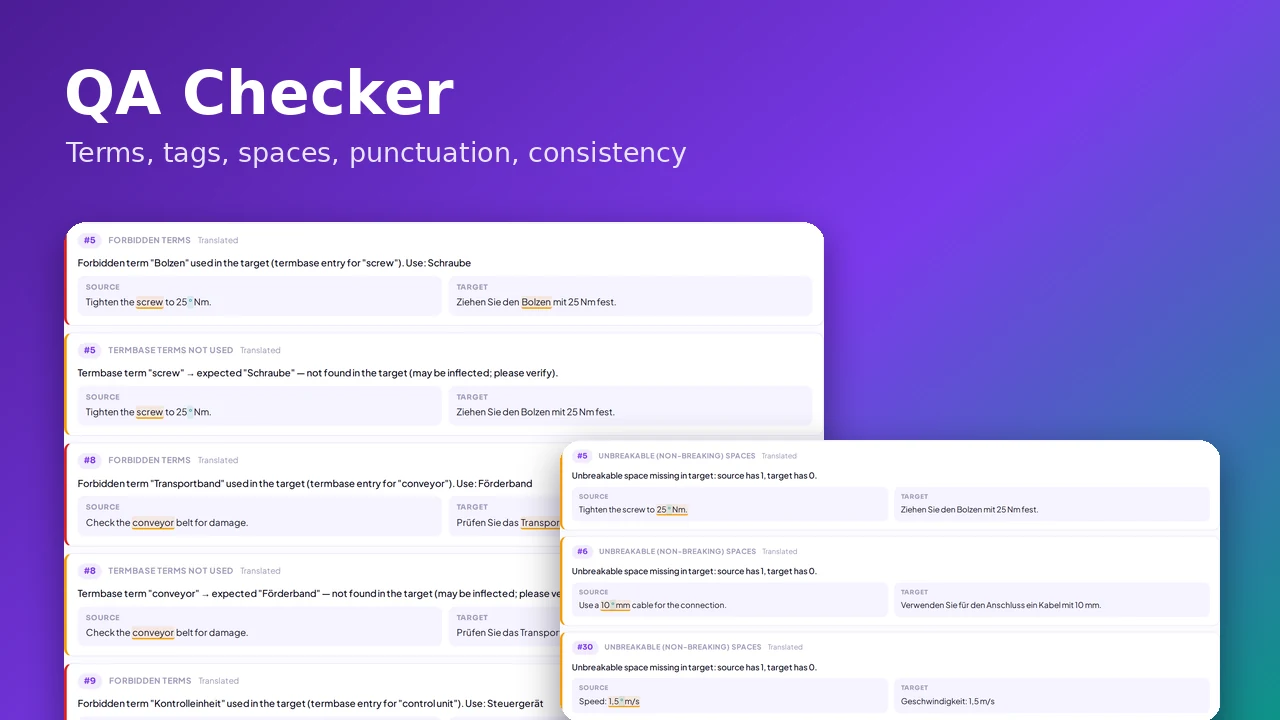
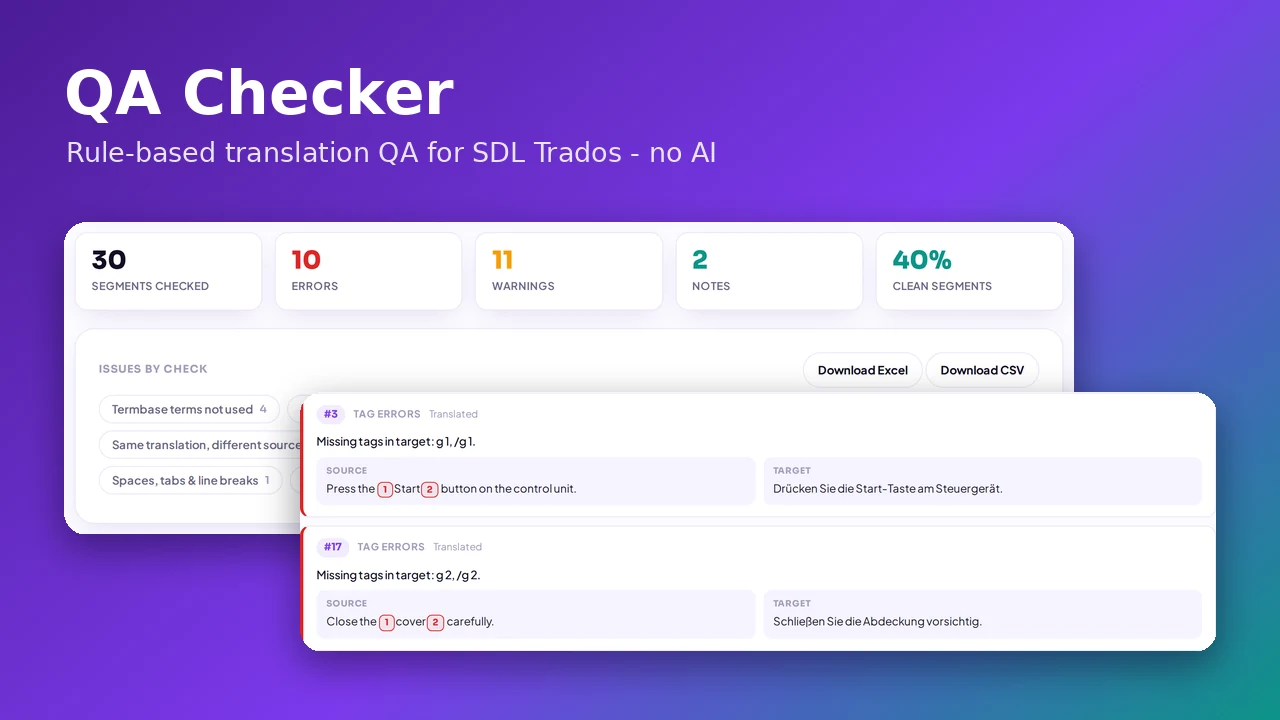
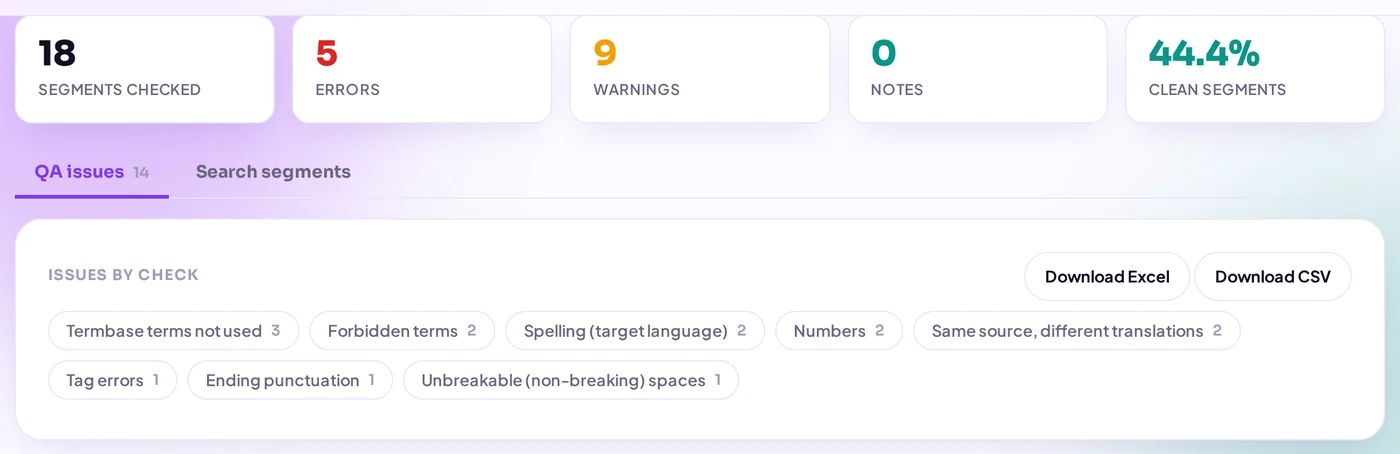
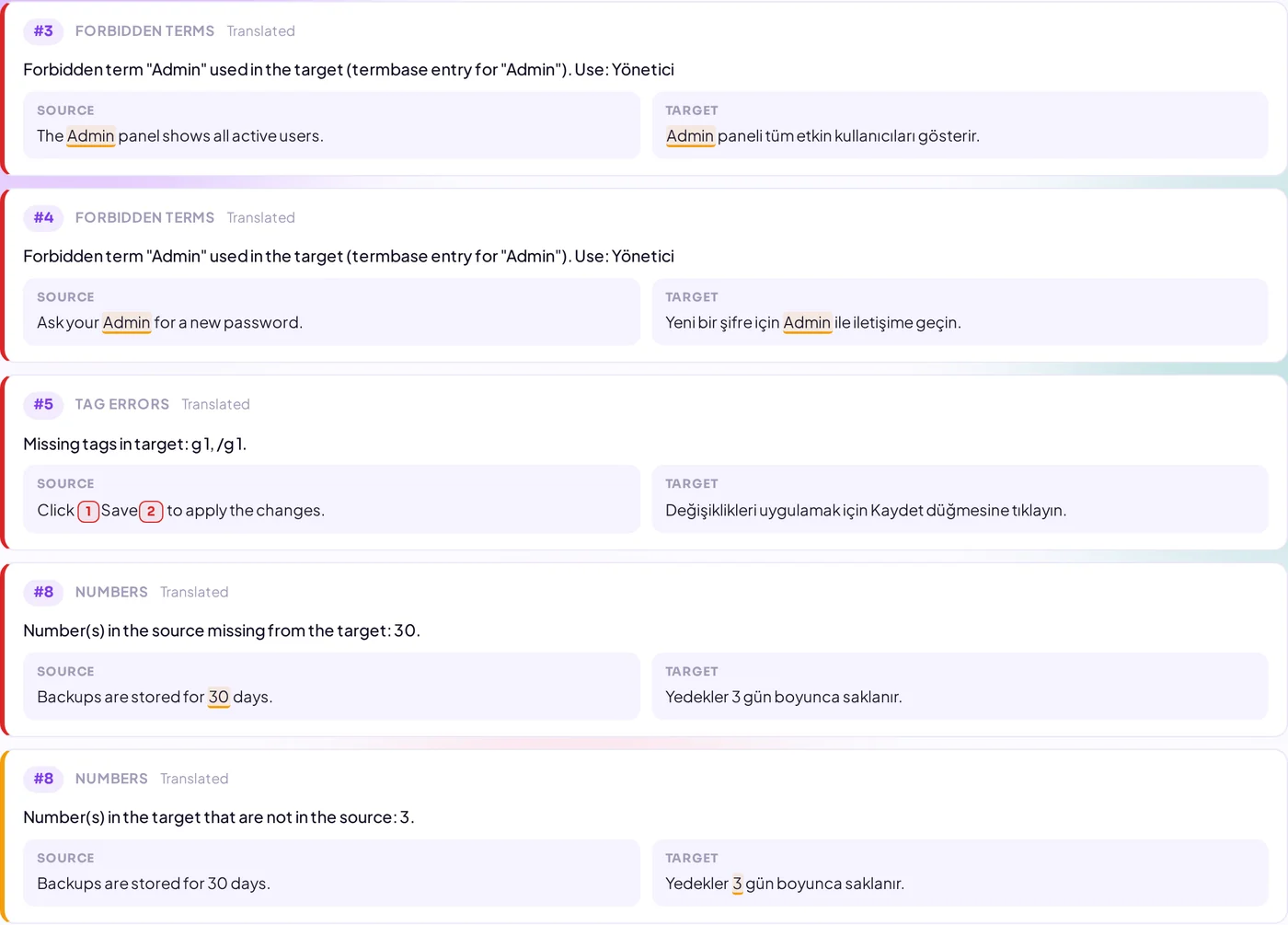
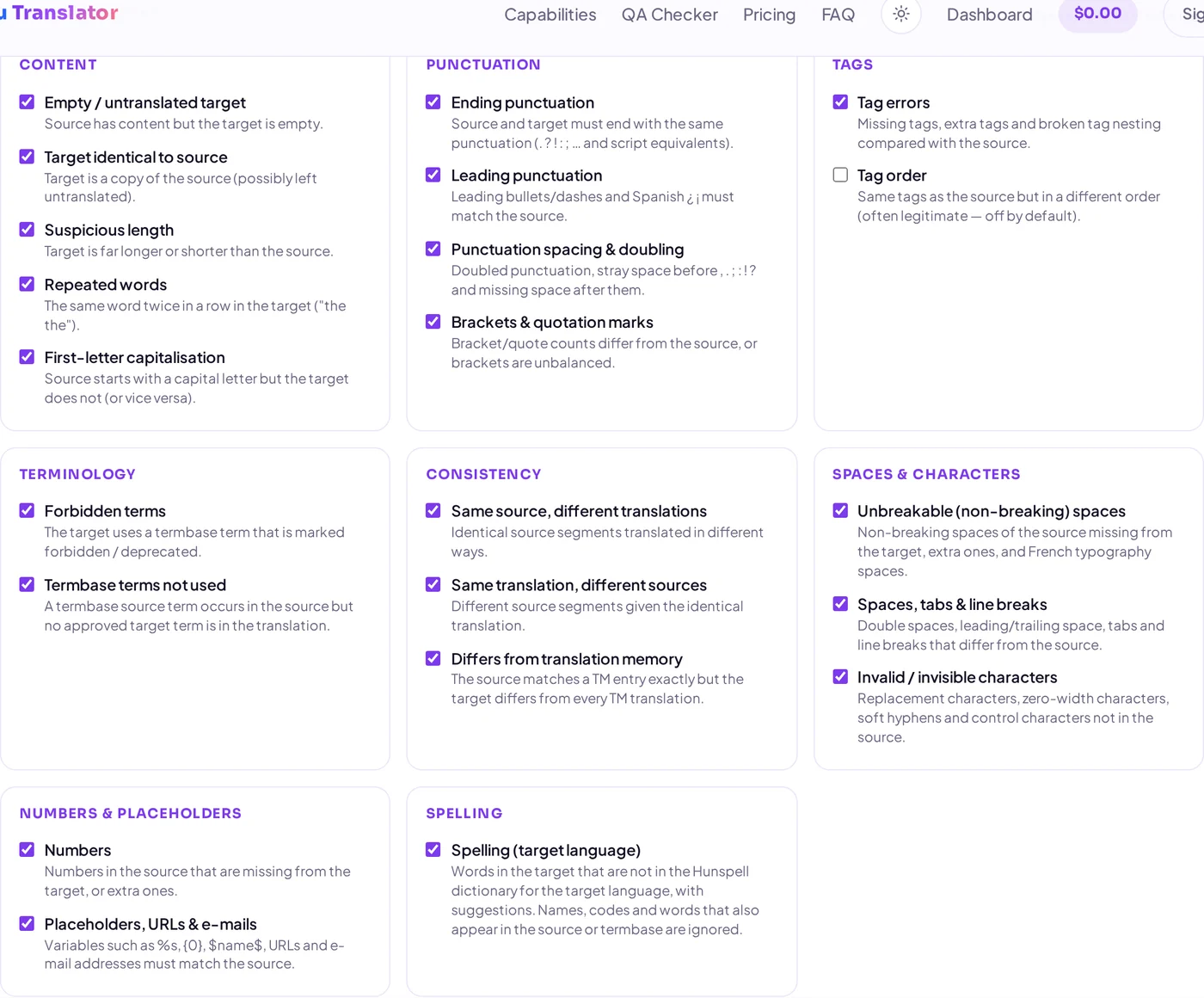
Ending punctuation, tags, forbidden and missing termbase terms, inconsistent translations, differences from the translation memory, non-breaking spaces, numbers, placeholders, URLs, double spaces and invisible characters. You choose which checks run; the report can be exported to Excel.
Xbench vs Verifika vs Trados QA Checker vs Linigu: comparison
| Linigu QA Checker | Xbench | Verifika | Trados Studio QA Checker | |
|---|---|---|---|---|
| Where it runs | Any browser — Windows, Mac, Linux, Chromebook | Windows desktop app | Windows desktop app | Inside Trados Studio (Windows) |
| Installation & licence | No installation, free with a Linigu account | Paid licence | Paid licence | Part of a paid Trados Studio licence |
| Trados files | SDLXLIFF, SDLRPX, SDLPPX (+ TM and termbase) | SDLXLIFF and many other bilingual formats | SDLXLIFF and many other bilingual formats | Native |
| Source/target search with “does not contain” | Yes, three boxes, regex, filters | Yes, powerful search syntax | Search and filters in the report | Advanced display filter |
| Spell check | Hunspell, 50+ languages, automatic | Yes | Yes | Yes (Hunspell or Microsoft Word) |
| Terminology & forbidden terms | Yes (SDLTB, TBX, Excel, CSV) | Yes (key terms) | Yes | Yes (with a MultiTerm termbase) |
| Tags, numbers, punctuation, consistency | Yes | Yes | Yes | Yes |
| Fix errors inside the tool | No — Excel/CSV report, fix in your CAT tool | Depends on the file format | Yes | Yes, in the editor |
| Best for | Quick checks anywhere, reviewers without Trados, Mac/Linux users | Power users with many formats and custom checklists | Teams that correct errors directly in the QA report | Translators who work in Trados every day |
Based on publicly available product information, September 2026. Features and prices change — please check the vendors’ websites. Xbench is a trademark of ApSIC, Verifika of Palex, Trados of RWS.
Which translation QA tool should you use?
Xbench is the long-standing favourite of power users: fast, very flexible search and checklists, and support for almost every bilingual format. Verifika is strong when you want to correct errors directly in the QA report and write them back to the files. The Trados Studio QA Checker is always at hand if you translate in Studio and can verify segments as you work.
The Linigu QA Checker fills a different gap: a free online QA check that needs no installation and no Trados licence. It works on a Mac, on Linux or on a colleague’s laptop, understands Trados packages including their TM and termbase, and never sends your text to an AI model. What it does not do (yet): correct errors inside the report, or check formats outside the XLIFF/Trados world.
How to run a QA check online
- Open the QA Checker and sign in (free).
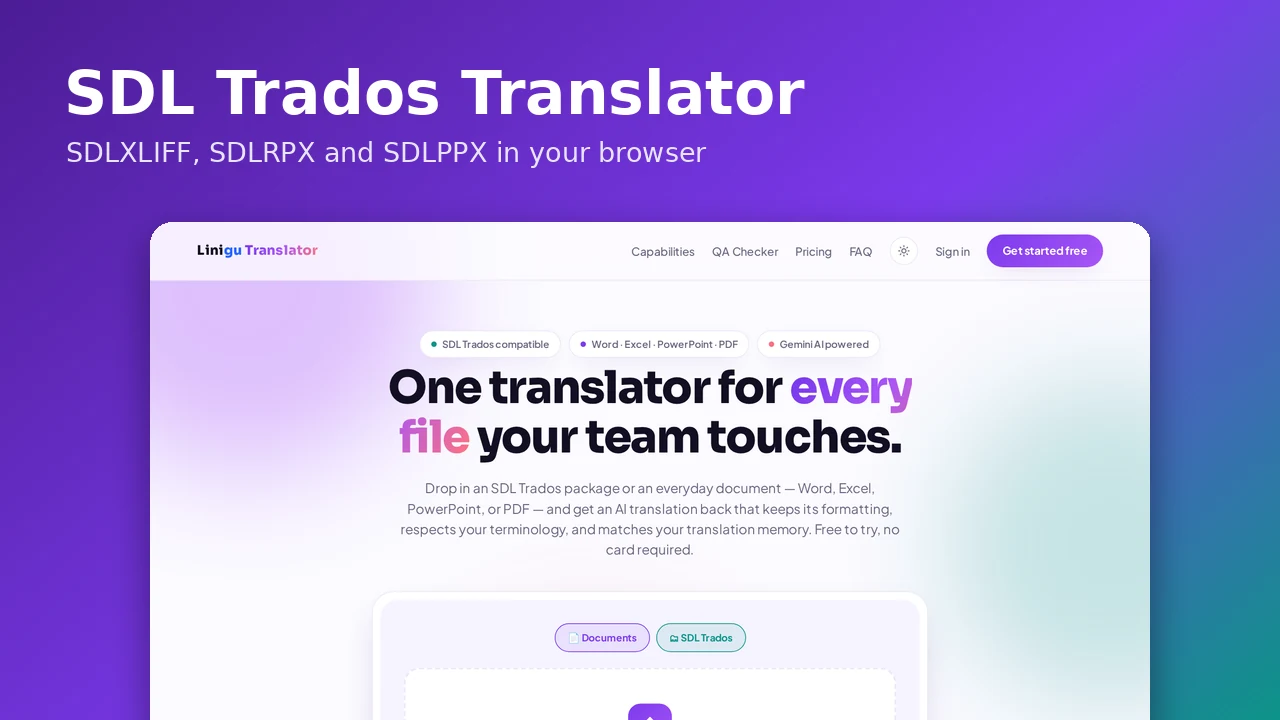
- Add your SDLRPX, SDLPPX or SDLXLIFF files, plus a TM (SDLTM, TMX) and termbase (SDLTB, TBX, Excel, CSV) if you have them.
- Choose the checks — including the new Spelling check.
- Review the issues, switch to Search segments for your own queries, and download the report as Excel or CSV.
Frequently asked questions
Is there a free, online alternative to Xbench?
Yes. The Linigu QA Checker runs in the browser, supports the typical Xbench-style searches (source has X, target does not have Y) and the usual QA checks, and is free with an account.
Is my text sent to an AI?
No. All checks, including the spell check, are fixed rules that run on our server. Files and reports are deleted automatically after 24 hours.
Which languages does the spell check support?
More than 50, including English, Turkish, German, French, Spanish, Italian, Portuguese, Dutch, Polish, Russian, Ukrainian, Arabic, Hebrew, Hindi, Swedish, Norwegian and Danish. Chinese, Japanese and Thai are not spell-checked because they are written without spaces between words.
Read more: how to check SDLXLIFF and return packages online and 10 translation errors a QA check catches. Ready? Start your free QA check.