Fluent is not the same as correct. A translation can be well written and still contain errors that a client, an auditor or a Trados verification will catch. Most of them are mechanical, which means a rule-based QA check finds them faster and more reliably than a tired pair of eyes. These are the ten errors we see most often — all detected by the QA Checker on translator.linigu.com.
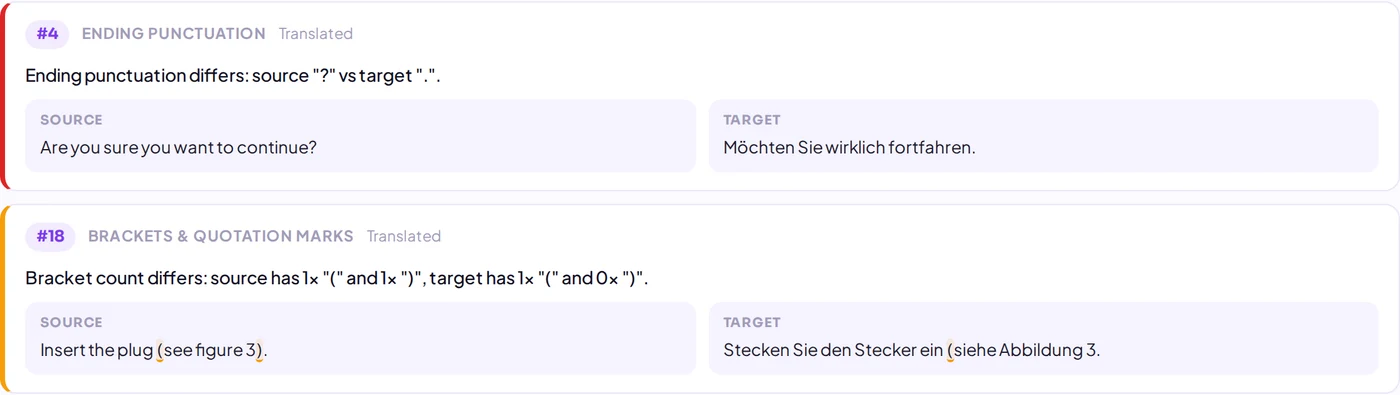
1. Different ending punctuation
If the source ends with a question mark and the target with a full stop, the meaning changes. The check compares the final punctuation of both segments and understands equivalents such as the ideographic full stop, the Arabic question mark or the Greek question mark.
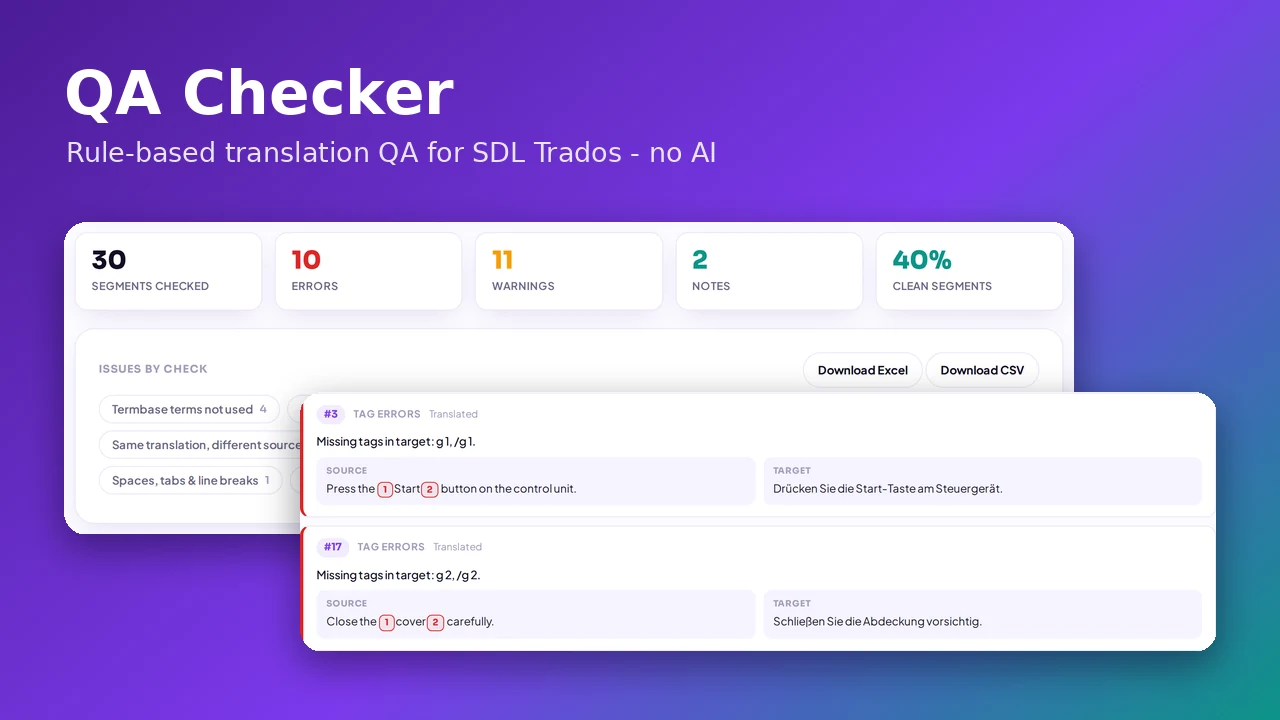
2. Tag errors
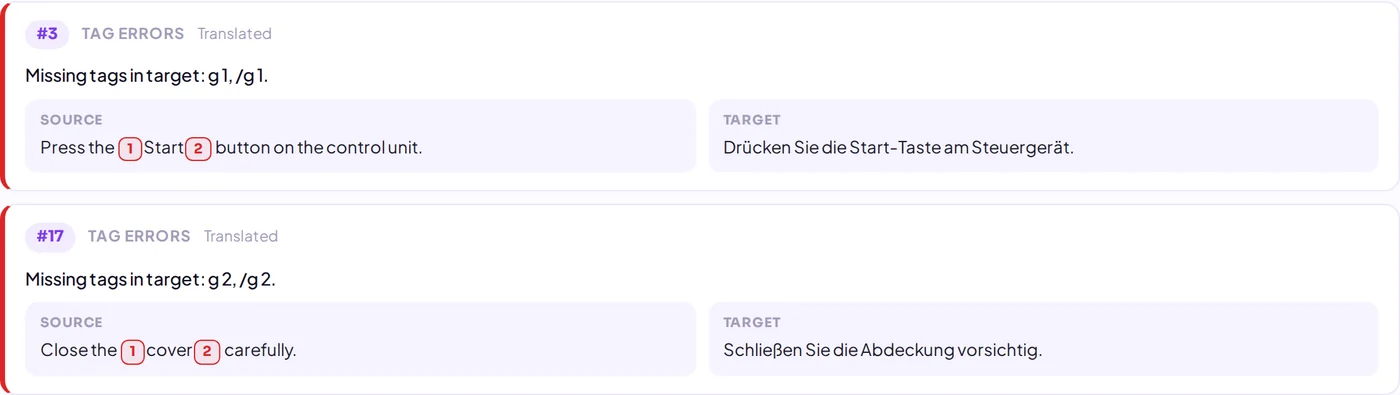
A missing bold or link tag, an extra tag, or tags that are not properly nested can break formatting or make a file impossible to reopen. The check compares the tags of source and target and shows exactly which one is missing, highlighted in the segment.
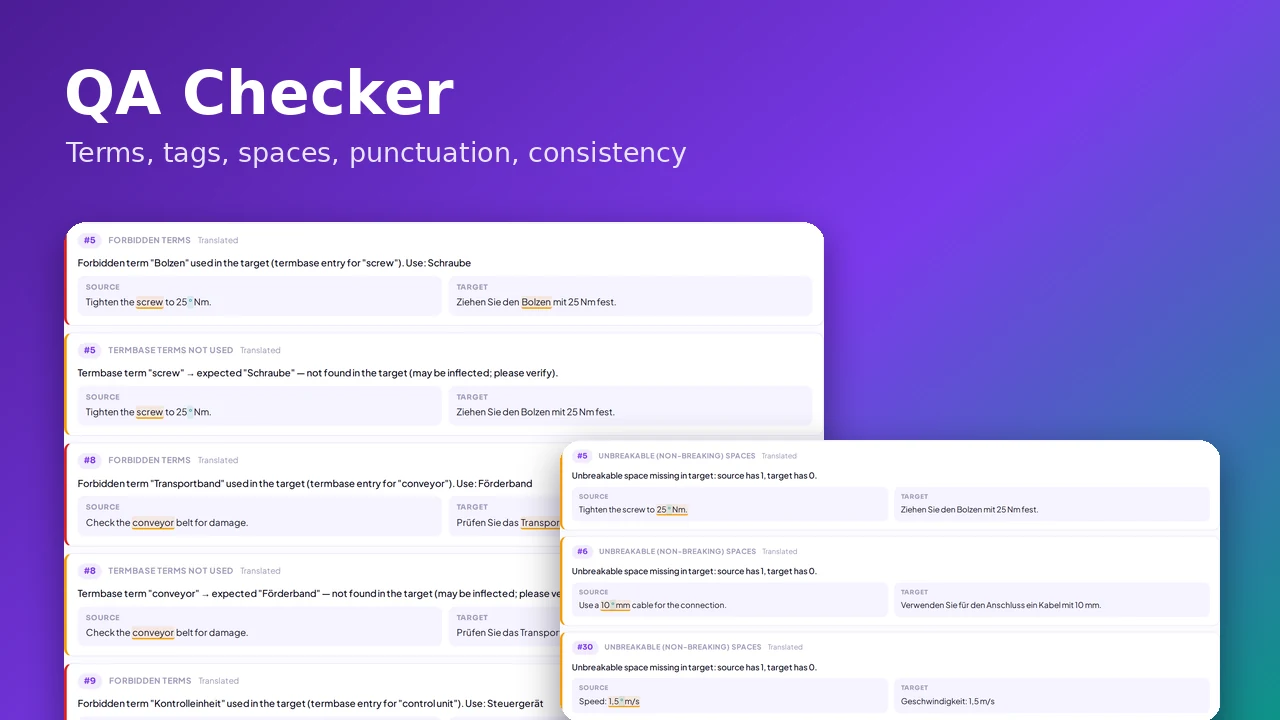
3. Forbidden terms and 4. approved terms that were not used
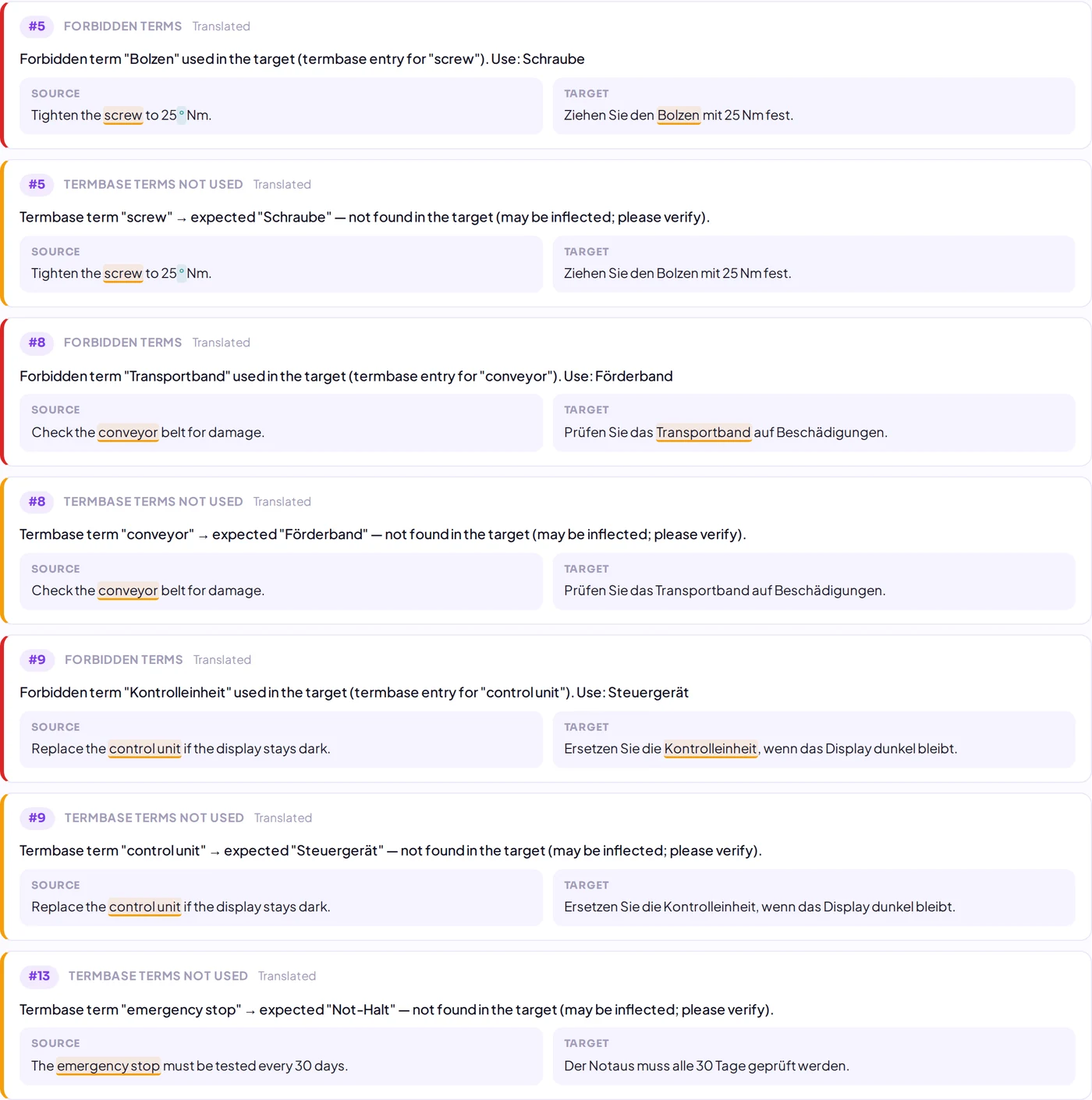
When a termbase marks a term as forbidden or deprecated, using it is an error — the check reports it and names the approved alternative. In the opposite case, a source term occurs but none of its approved translations does; this is reported as a warning because the term may simply be inflected. Both checks work with SDLTB, TBX, XLSX and CSV termbases.
5. Same source, different translations, and 6. differences from your TM
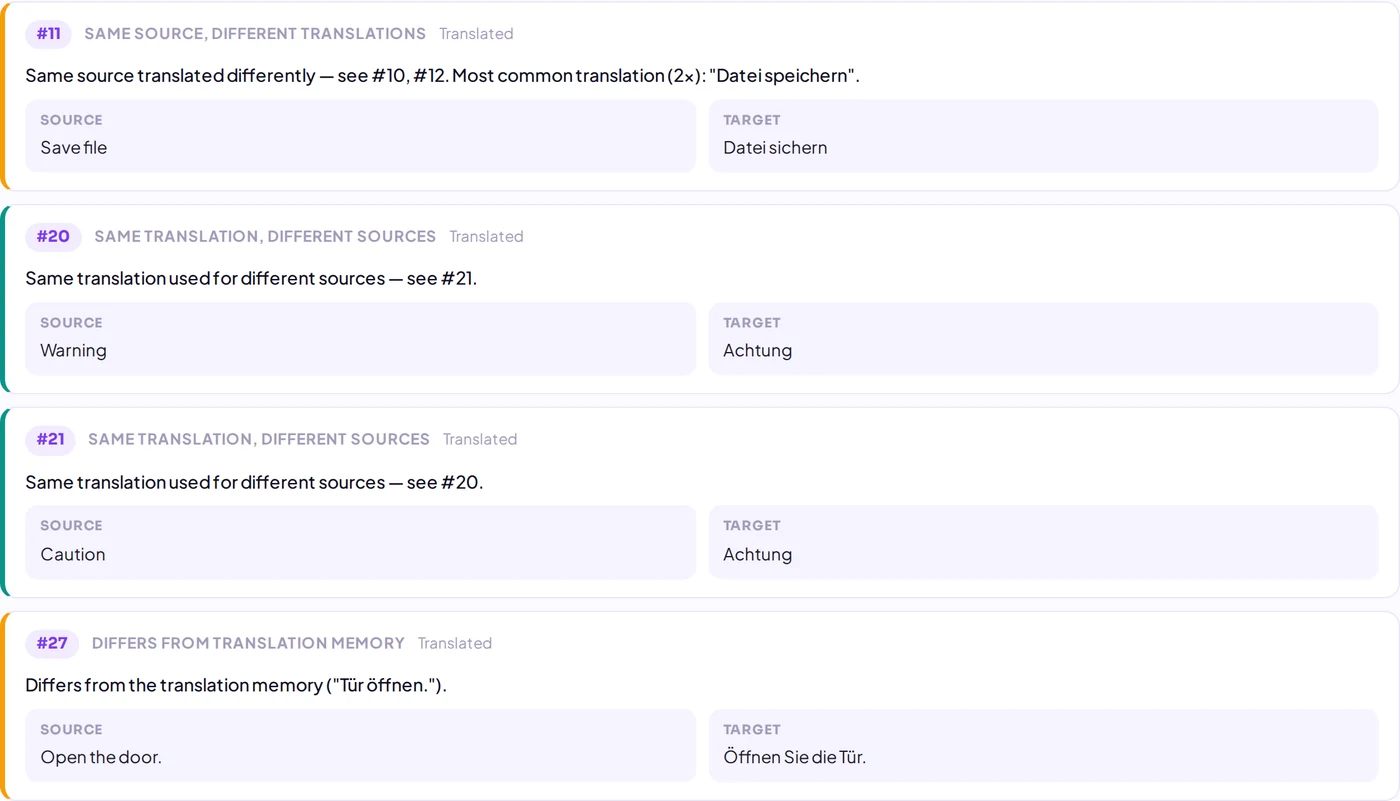
"Save file" translated once as speichern and once as sichern confuses users. The check groups identical sources across all documents and flags the outlier. It also compares exact matches with your translation memory and reports translations that differ from every TM entry. The reverse problem is covered too: one translation used for two different sources.
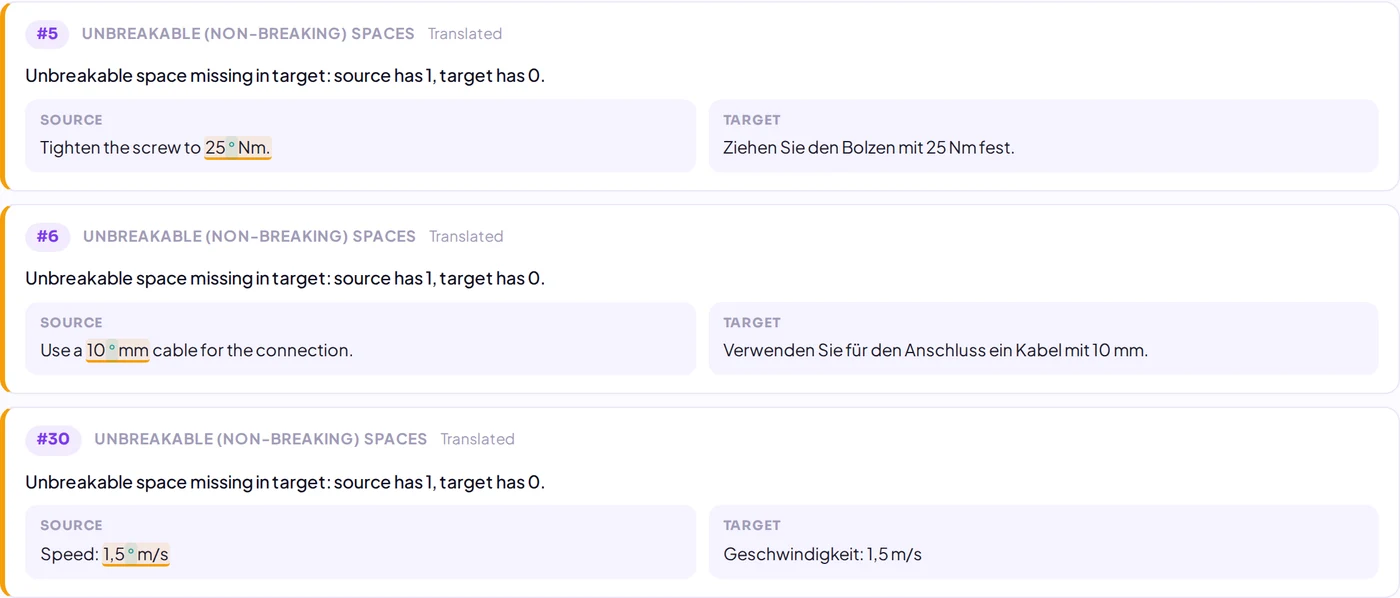
7. Missing non-breaking spaces
A line break between "25" and "Nm" looks careless. If the source uses a non-breaking space and the target uses a regular one, the check flags it, and it shows the character as a visible mark so you can see the difference. For French targets it also checks the spacing rules before ? ! : and ;.
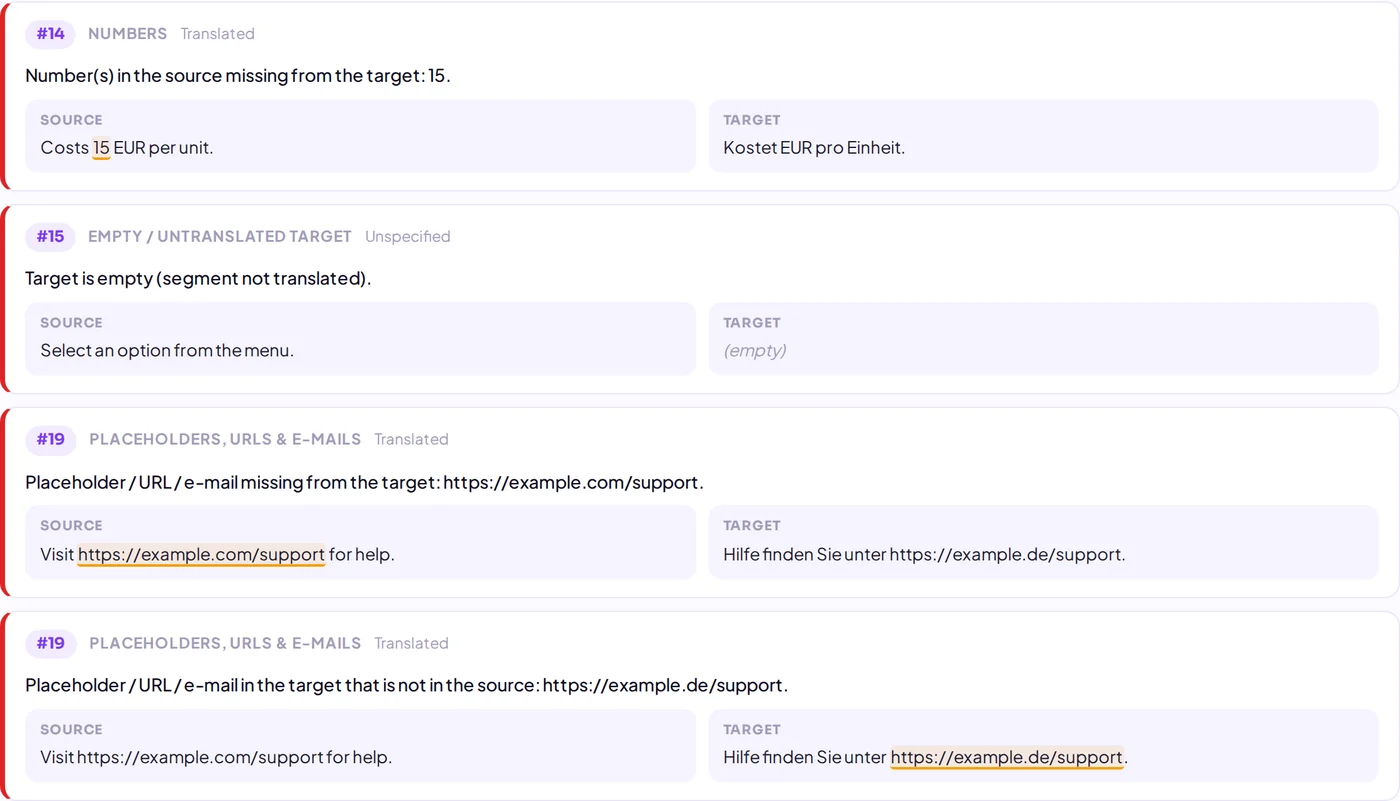
8. Numbers and 9. placeholders, URLs and e-mails
A number that disappeared, or a URL that changed from .com to .de, are errors nobody wants to explain. The check compares numbers regardless of decimal and thousands separators, and it compares variables such as %s or {0}, web addresses and e-mail addresses exactly.
10. Double spaces and invisible characters
Double spaces, a leading or trailing space that is not in the source, soft hyphens, zero-width characters and replacement characters from encoding problems are invisible in most editors but show up in the output.
Make QA part of every delivery
Run the check on the return package before you send it, choose the checks that match your client's requirements, and export the result to Excel for your reviewer. Empty targets and identical source and target are reported as well, so nothing slips through half-translated.
Ready to try? Open the QA Checker — it is rule-based, so nothing is sent to AI. New to it? Start with how to check SDLXLIFF and return packages online.