A translation can read perfectly and still fail on delivery: a missing tag that breaks the layout, a forbidden term from the client's termbase, "10 mm" split across two lines, or the same source sentence translated three different ways. These are exactly the errors a reviewer does not want to hunt for by eye — and the ones a client notices first.
The QA Checker on translator.linigu.com finds them for you. Upload a return package or SDLXLIFF files, add your translation memory and termbase, and you get a full report in seconds. Every check is a fixed rule: no AI is involved, and your text never leaves our server.
What the QA Checker looks for
- Punctuation: source and target must end with the same punctuation.
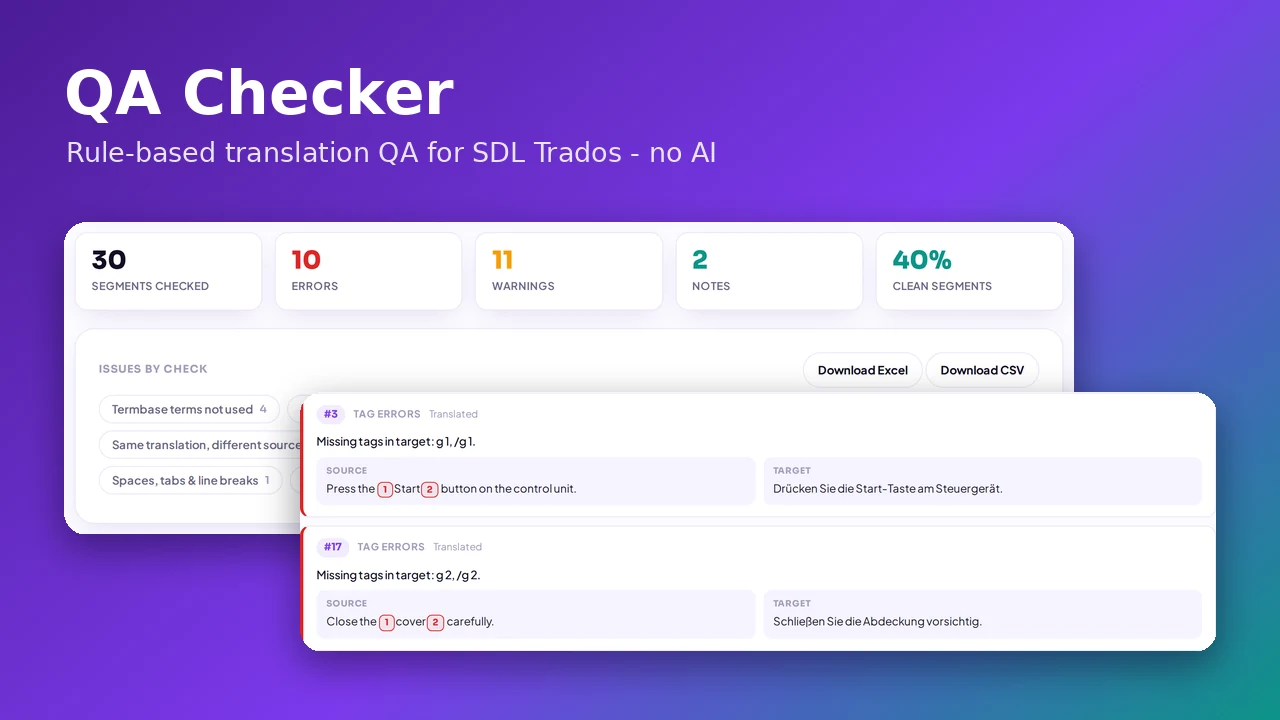
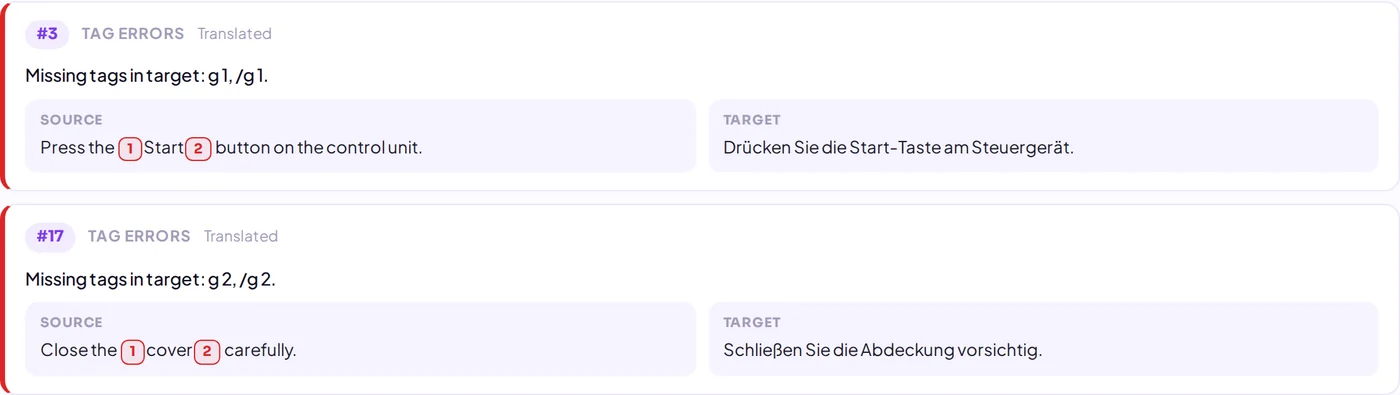
- Tag errors: missing tags, extra tags and broken tag nesting.
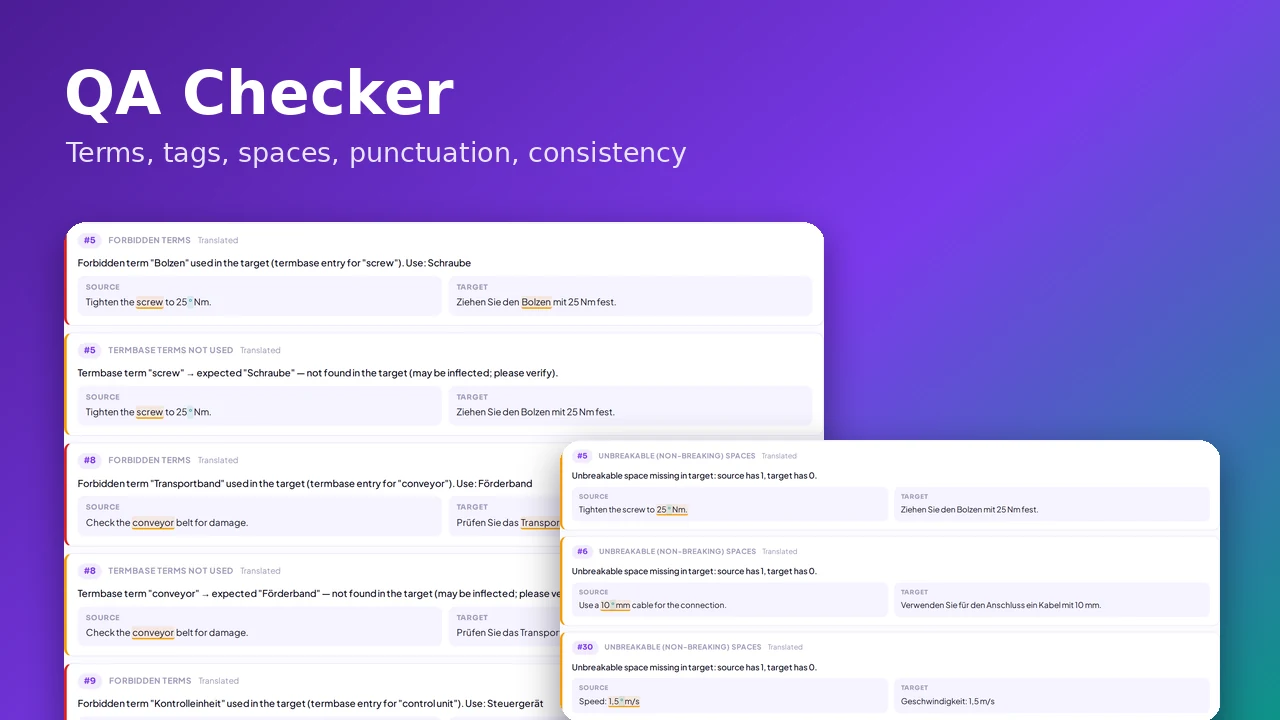
- Terminology: forbidden or deprecated termbase terms, and approved terms that were not used.
- Inconsistency: the same source translated differently, the same translation used for different sources, and translations that differ from your TM.
- Unbreakable spaces: non-breaking spaces from the source that are missing in the target.
- And more: empty targets, numbers, placeholders, URLs, double spaces and invisible characters.
How to run a QA check in four steps
1. Upload your files
Add a return package (SDLRPX), project package (SDLPPX) or one or more SDLXLIFF files. Optionally add extra translation memories (SDLTM, TMX) and termbases (SDLTB, TBX, XLSX or CSV). A package already contains its own TM and termbase.

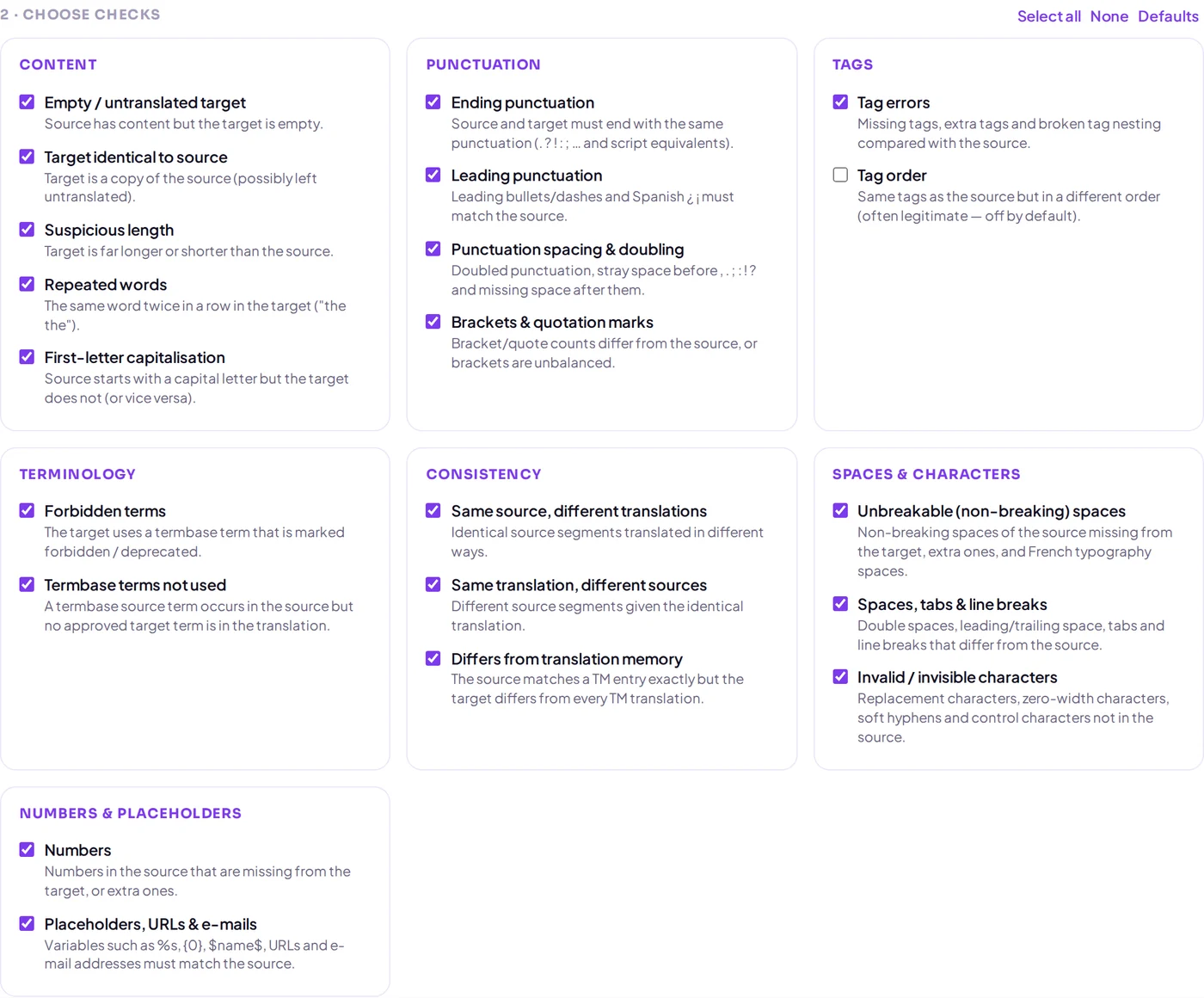
2. Choose the checks
All checks are grouped by topic and you decide which ones run. Tick the ones your client's style guide cares about, untick the ones that do not apply, and your selection is remembered for next time. Locked segments are skipped unless you include them.
3. Read the report
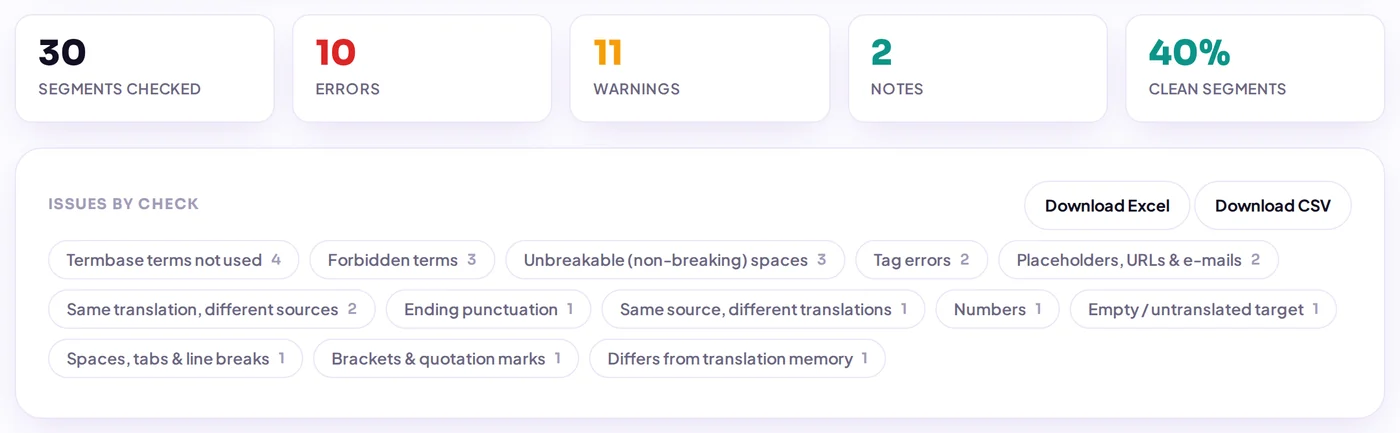
You see how many segments were checked, how many errors, warnings and notes were found, and the share of clean segments. Filter by severity, by check or by document, or search for a word. Each issue shows the segment number, explains what is wrong, and highlights the problem in the source and the target — tags as numbered markers, non-breaking spaces as visible marks.
4. Export and fix
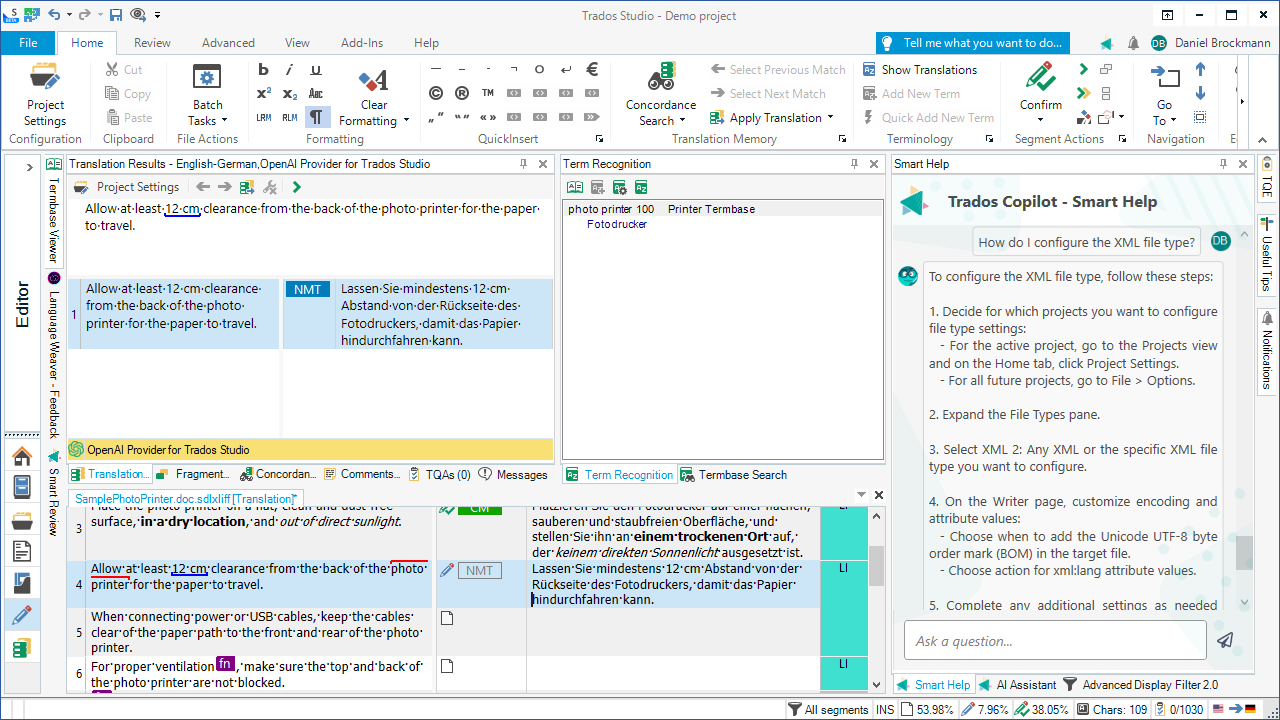
Download the list as Excel or CSV for your reviewer or translator, fix the segments in your CAT tool, and re-run the check with different settings without uploading again.
Private by design
Terminology and translation memories are often confidential. Because the QA Checker works with fixed rules only, nothing is sent to an AI model or any third party. Your files and reports are deleted automatically after 24 hours.
Who it helps
Translators run it before delivery, reviewers use it to focus on real problems instead of routine checks, and project managers get a clear pass/fail picture of an incoming return package.
Try it on your next project
Open the free SDL Trados QA Checker, drop in your file and see what a rule-based check finds. Want to know exactly which errors it catches and why they matter? Read 10 translation errors an SDL Trados QA check catches. Need the translation itself? The same site also offers an AI translator for SDL Trados, Word, Excel, PowerPoint and PDF files.